Quimbi
Quick Modbus-Control
Software for controlling and monitoring heat pumps and other devices via Modbus TCP/IP
Download Quimbi 2.1 deutsch (Demoversion)
A warning message may appear when you open the program for the first time. However, this occurs only because the registration fee has not been paid to the operating system provider and can safely be ignored ( > Learn more >> Run anyway ).
Quimbi enables the control and detailed analysis of the device functions of heat pumps and other Modbus devices for optimal system optimisation.
Any number of devices can be managed (e.g., heat pump, PV system, etc.).
Purely local access (without cloud) and without extra hardware
Quimbi
Examples of important questions regarding device function:
⮚ How can the device’s function be optimised?
⮚ Why or when does the device consume too much power?
⮚ How can certain measured values and switching operations be explained?
⮚ How often does the heat pump switch off in 24 hours?
Is the device cycling on and off too frequently?
⮚ How long does the heat pump take to heat the hot water in the boiler?
⮚ How often is the heat pump’s defrost mode activated?

Quimbi
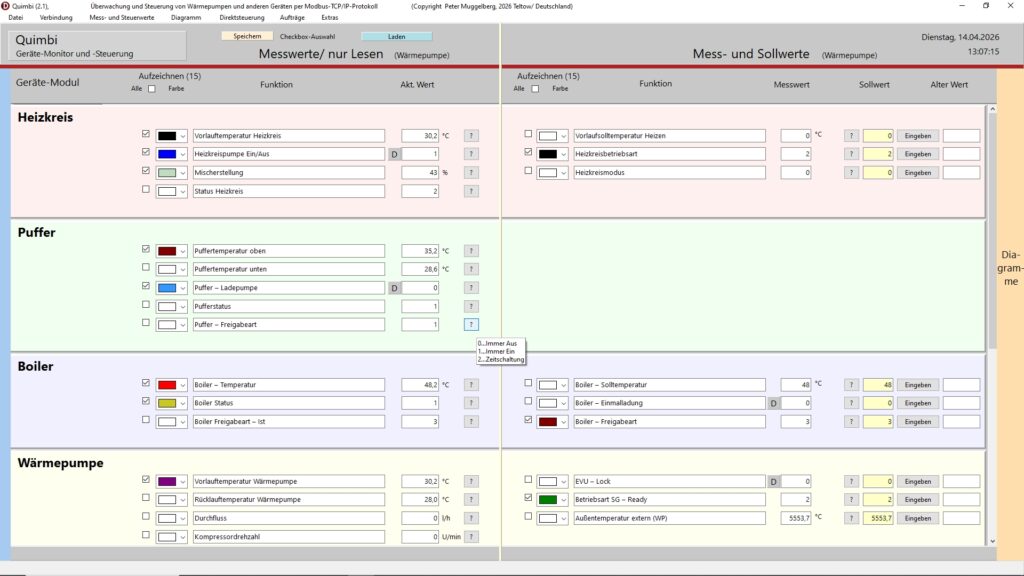
Measurement Data Overview
All important measurement data at a glance in real time. Monitor the device status at a glance.
Any number of measurement values can be read. Based on the settings in the control file, these are automatically displayed according to the device modules.
Quimbi
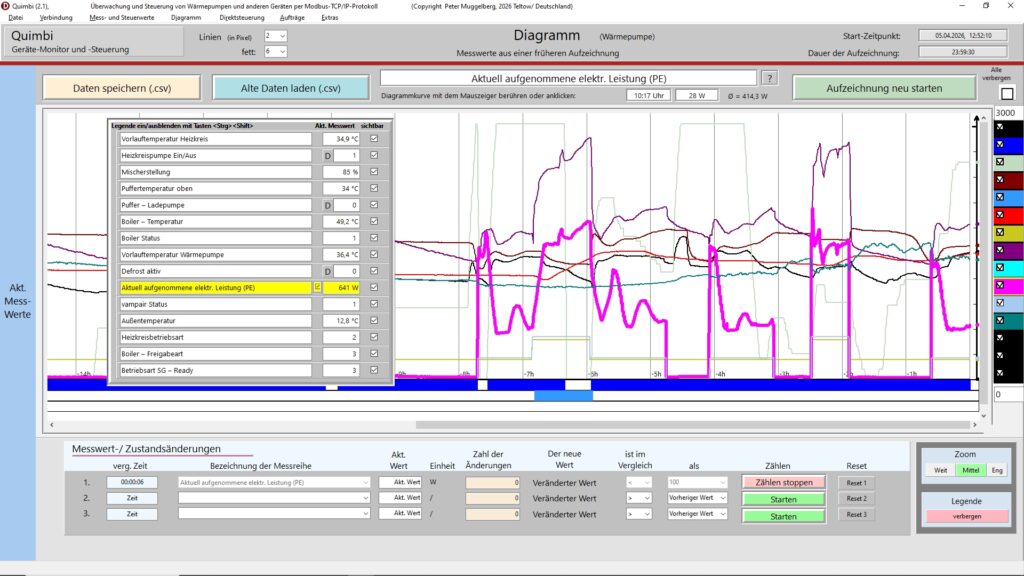
Monitoring via 24-Hour Chart
Continuous monitoring via a 24-hour chart to identify trends, optimisation potential, and system anomalies.
Up to 28 function graphs can be recorded simultaneously and optionally displayed or highlighted.
Quimbi
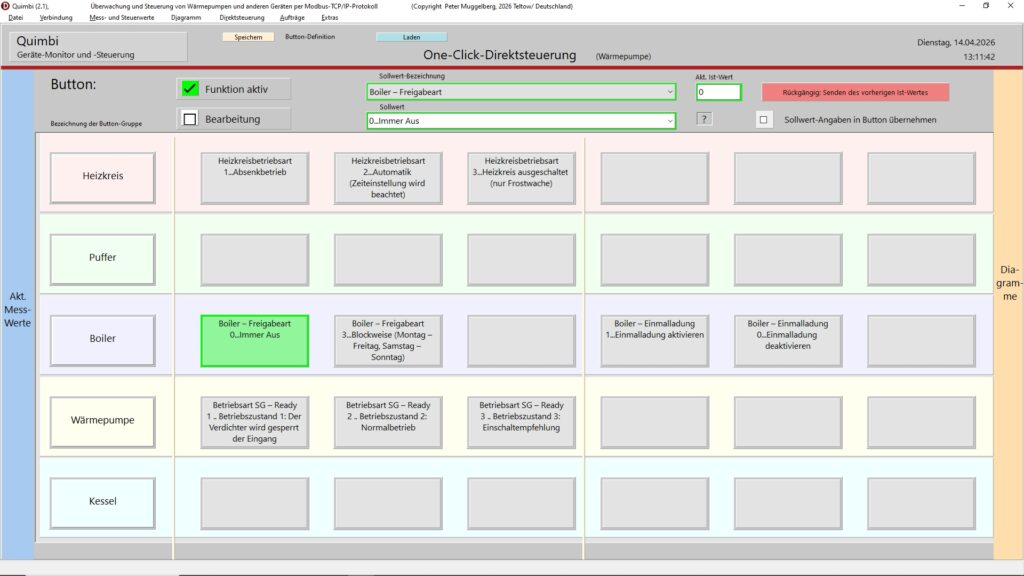
Quick Control with Programmable One-Click Buttons
Efficient quick control with freely programmable one-click buttons for frequently used commands and parameter changes.
Quimbi
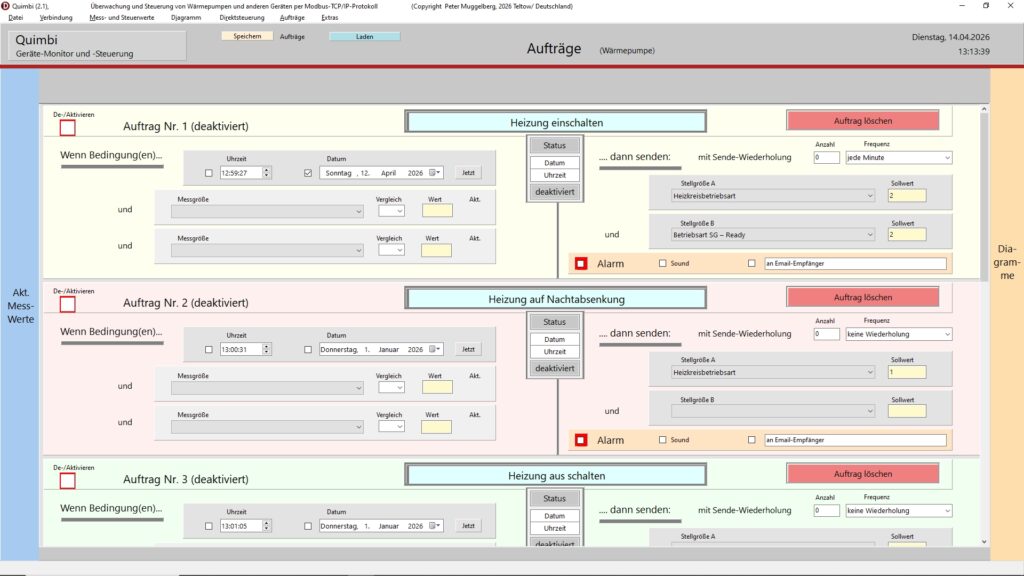
Control commands and alarm function
Automated control commands based on defined conditions (measured values or time) for maximum safety and autonomous operation (including alarm function with the option of SMS messages).
Quimbi
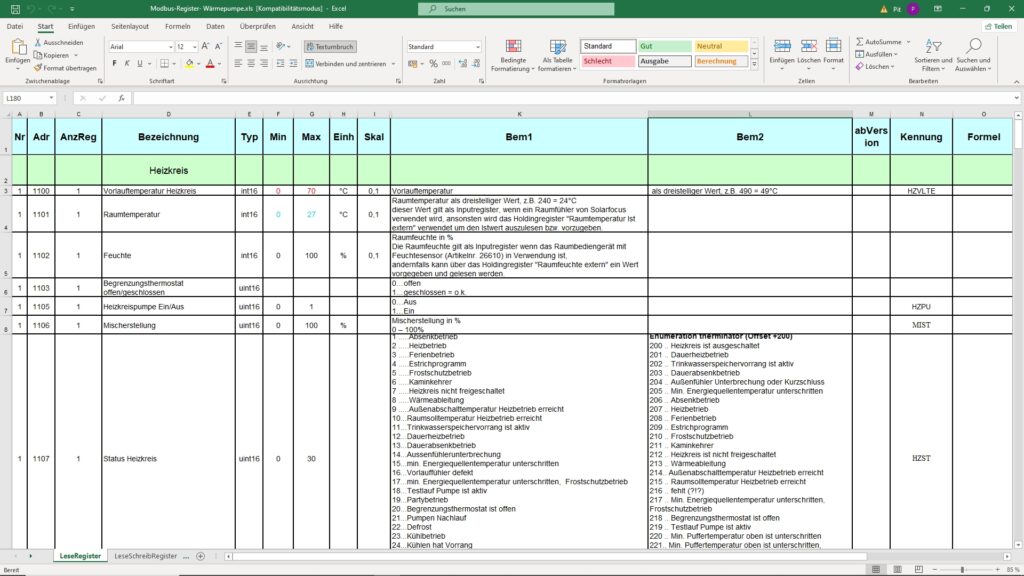
Freely configurable register values according to the device manufacturer’s specifications in a control file
Most manufacturers of devices with Modbus access provide detailed register tables, sometimes even as Excel® files (.xls or .xlsx).
This control file is the basis for controlling a device.
Quimbi
Download Quimbi 2.1 deutsch (Demoversion)
System Requirements and Sustainability
-
-
-
-
-
-
- To achieve continuous monitoring of the device, it has proven effective to run Quimbi permanently on a micro-PC connected to the device and the internet router via data cables within a home network.
- Since Quimbi‘s system requirements are very low, a micro-PC (< 30 W power consumption) is perfectly sufficient.
- Operation is optimal when this PC is accessed remotely from a tablet or smartphone using software such as AnyDesk, TeamViewer, etc.
-
-
-
-
-